AI-assisted audit workspace for CPA firms
Move the engagement forward—with every conclusion tied back to evidence.
AuditPackHQ brings PBC evidence, deterministic reconciliations and testing, workpaper documentation, financial-statement review, open items, and controlled AuditFile integration into one reviewer-ready workspace.
Evidence provenanceHuman approvalReviewable proposalsAudit trail
Engagement command center
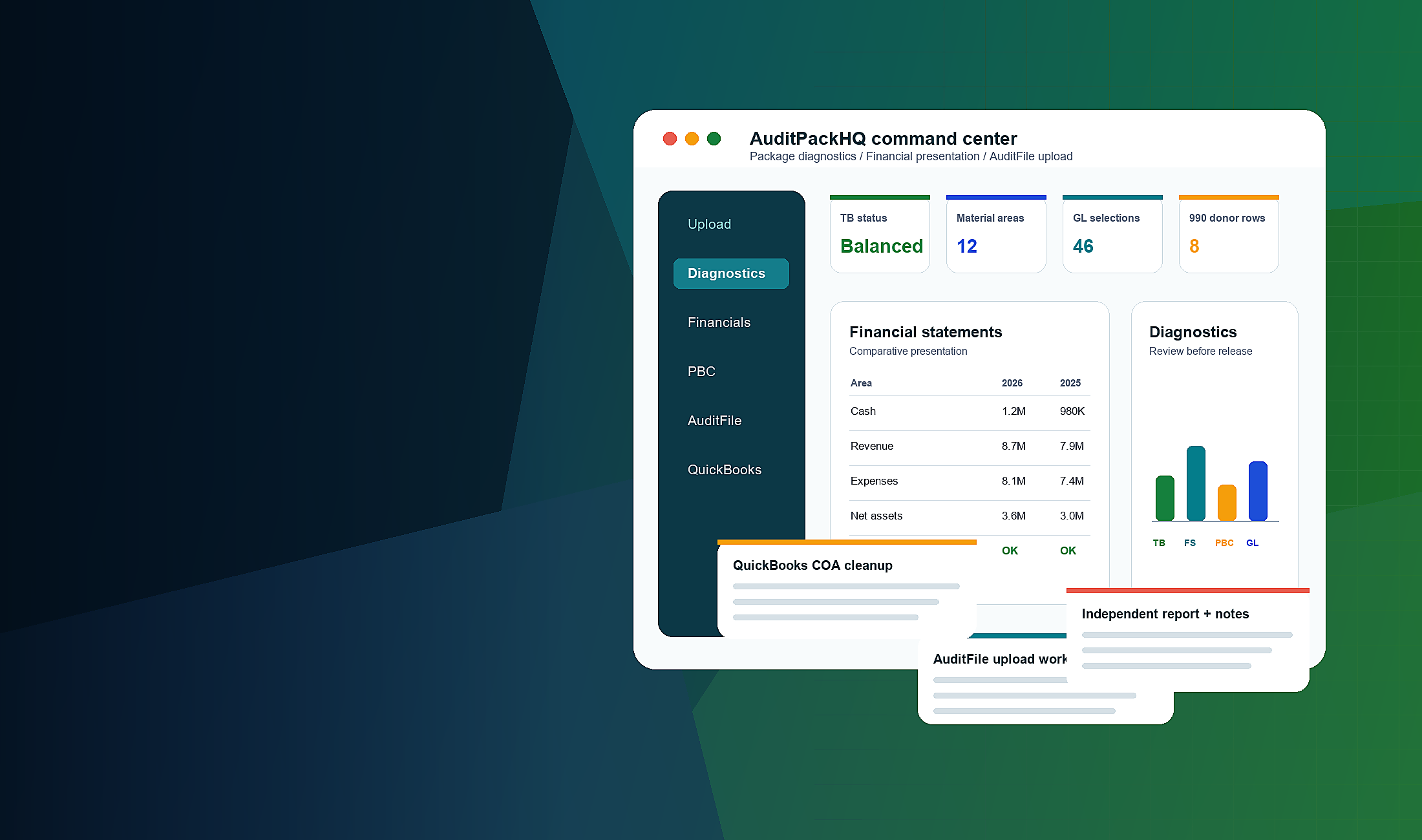
Evidence coverageSource-linked
AuditFile changesApproval required
One engagementShared evidence graph
Four FS layersTie-out through technical review
Exact lineageCell, row, page, and selection
Fail closedNo silent external execution
The engagement workspace
Audit work stays connected from PBC intake through procedure closeout.
AuditPackHQ extends the engagement your team already works in. It does not create a disconnected evidence silo or replace professional judgment with a chat transcript.
01Evidence & PBC
Consolidate client and auditor-created support with original filenames, SHA-256 fingerprints, source, uploader, timing, parsing detail, duplicate and version relationships, and procedure mapping.
- Unmapped Evidence and Evidence Gaps views
- PDF page and workbook cell provenance
- One source can support many procedures
02Audit execution
Run deterministic TB/GL, bank, debt, payroll, revenue, expense, JE/AJE, functional-expense, SEFA, and engagement-specific analyses.
- Objective through conclusion
- Exact selections and exceptions
- Affected procedures shown
03Open items
Group work by the action that clears it—not by a wall of procedure IDs. Track owners, evidence received, the remaining deficiency, request status, and issuance significance.
04Workpaper documentation
Prepare evidence-linked purpose, procedure, results, exceptions, and conclusion fields that a reviewer can follow without reconstructing the engagement.
05Activity & audit trail
Preserve actor, time, source, module, approvals, proposed changes, parsing events, errors, and eventual read-back status.
Financial Statements Review
Four review layers. Kept distinct on purpose.
Amount reconciliation, editorial review, prior-year comparison, and technical presentation review answer different questions. AuditPackHQ keeps the evidence and status for each layer visible.
01WSTB-to-FS reconciliation
Trace WSTB cells to face statements, footnotes, SEFA, and supporting schedules. Surface ties, rounding, unresolved differences, and presentation issues.
Every-page editorial review
Review spelling, grammar, dates, defined terms, note numbering, cross-references, stale language, and incomplete sentences—without automatically rewriting technical accounting language.
Prior-year semantic redline
Identify added, removed, changed, stale, or unexpectedly missing disclosures using semantic as well as literal comparison.
Technical standards review
Evaluate relevant GAAP, GAAS reporting, Yellow Book, Uniform Guidance, SEFA, and engagement-specific presentation topics. Authoritative requirements remain separate from recommendations.
WSTB → FS traceReviewable
WSTB!H24Cash · p.4$125,000Ties
WSTB!H31Debt · Note 6$412,450Rounding
WSTB!H47Functional exp. · p.7$86,300Review
Illustrative product UI. Statuses must be calculated from actual engagement sources before reliance.
Controlled AuditFile integrationPrepare exact changes, then approve what should move.
Synchronize available engagement and procedure context, prepare proposed comments, workpapers, evidence references, and status changes, and preview the exact destination before approval.
No unrestricted automatic write-back.AuditPackHQ uses gated, approval-based workflows. The intended sequence is read, manifest, validate, approve, execute, read back, and verify.
- 1
Read current stateConfirm engagement and procedure scope.
- 2
Build and validate manifestShow evidence, exact comment, destination, and target status.
- 3
Obtain explicit approvalIndividual or validated batch disposition.
- 4
Execute and verifyAvailable only behind controlled production gates, with read-back and audit trail.
AI Copilot
Evidence-aware audit assistance—not a generic chatbot.
Copilot modes make the intended action explicit and show the evidence used or proposed changes where applicable.
AskWhat is the engagement status?
Answer evidence, procedure, exception, and open-item questions in engagement context.
AnalyzeWhy does this difference exist?
Support reconciliations, comparisons, analytics, and exception analysis with traceable sources.
PrepareDraft the reviewable work.
Prepare workpapers, reviewer responses, AJE suggestions, FS comments, and client-request drafts.
ExecuteShow the proposed change.
Route exact external changes to the approval center. No silent posting or sending.
How it works
A controlled path from connection to verified documentation.
- 01Connect engagement
Use the existing AuditFile and AuditPackHQ engagement context.
- 02Add evidence
Preserve source, hash, version, parsing, and request association.
- 03Analyze and test
Run deterministic work with exact row, cell, page, and selection drill-down.
- 04Review exceptions
Separate unresolved facts from conclusions and identify the clearing action.
- 05Prepare documentation
Build reviewer-defensible workpapers and FS comments with evidence used.
- 06Approve AuditFile changes
Preview the exact proposal and require authorized approval before any write.
Professional controlsDesigned for confidential client work and human accountability.
Engagement isolation
Authenticated access, validated engagement identifiers, and private storage keep sources scoped to the workspace.
Source provenance
Original filename, uploader, timestamp, hash, parse detail, version, and usage lineage stay visible.
Role separation
Read, prepare/propose, approve, and execute remain distinct actions.
Human approval
Viewing a proposal is not approval. External changes and communications require explicit authorization.
Audit trail
Actor, time, before/intended state, future read-back, idempotency, and errors are designed into the change record.
Fail-closed behavior
Missing evidence, permission, approval, or integration capability stops the action and leaves an open item.
A more complete audit workspaceKeep the evidence, testing, review, and change control in one engagement.
Open the secure AuditPackHQ application to continue with your firm's authorized work.